
PEB Studio
Smart Erection – on-site erection management

I.6 4D BIM Schedule & Installation Progress updates

Compare plan and actual day by day directly on the model (early / on time / late). The person updating progress cannot accept their own work; accepted data is never overwritten when conflicts occur.

What it does

  • Status buttons by permission: In progress · Secured · Installed (supervisor) · Pass / Fail (QC) · Accept · On hold.
  • Simulation by day / week / month, planned vs. actual quantity curve and list of delayed steps.
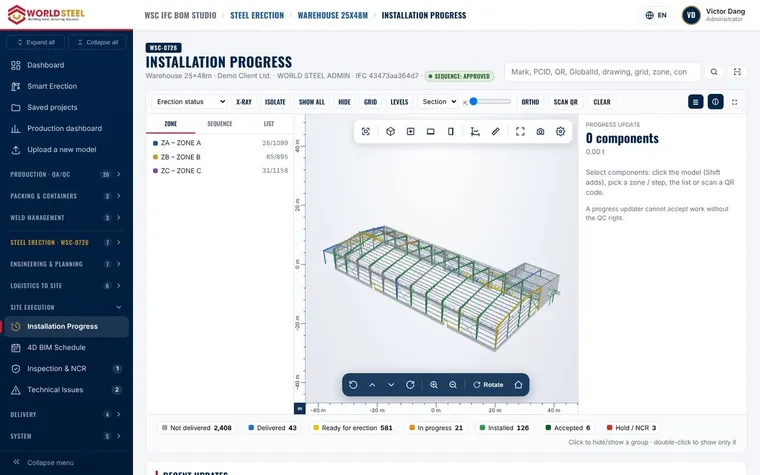
4D BIM Schedule & Installation Progress updates

האם הדף עזר לכם?

עודכן 01 Nov 2026

עדיין צריכים עזרה?

מומחי המוצר שלנו עונים בשפה שלכם, בדרך כלל תוך 4 שעות עבודה.