
PEB Studio
Smart Erection – on-site erection management

I.3 Smart Erection Navigator & status-coloured BIM Model Viewer

Enter or scan a mark → the camera flies to the location, the component is highlighted in orange and connected components in blue, with grid / elevation / step / container / yard shown. The erection crew knows immediately where the component goes.

What it does

  • BIM coloured by erection status, zone, priority, container or fabrication; X-ray, isolate, hide, sections by elevation / grid, explode, measure and screenshot.
  • Model tree by type, zone, elevation, grid and container; click a component to update its status according to permissions.
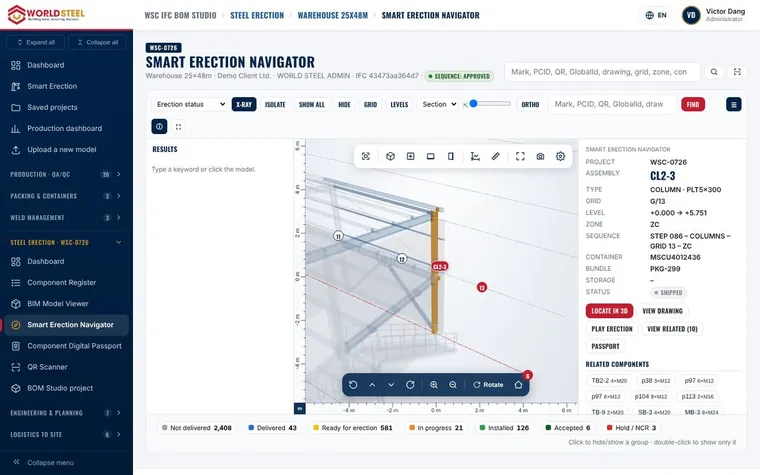
Smart Erection Navigator & status-coloured BIM Model Viewer

Trang này có hữu ích không?

Cập nhật 01 Nov 2026

Vẫn cần trợ giúp?

Chuyên gia sản phẩm trả lời bằng ngôn ngữ của bạn, thường trong vòng 4 giờ làm việc.