
The demo project 0726 (3,424 parts, 73.2 t) comes with crews, workers, 20 days of reports, weld logs and containers, so every department can practise safely.
-
Step 1
Install demo data
Open System → Demo data and click Install demo project. The installation takes about a minute.
-
Step 2
Open the project
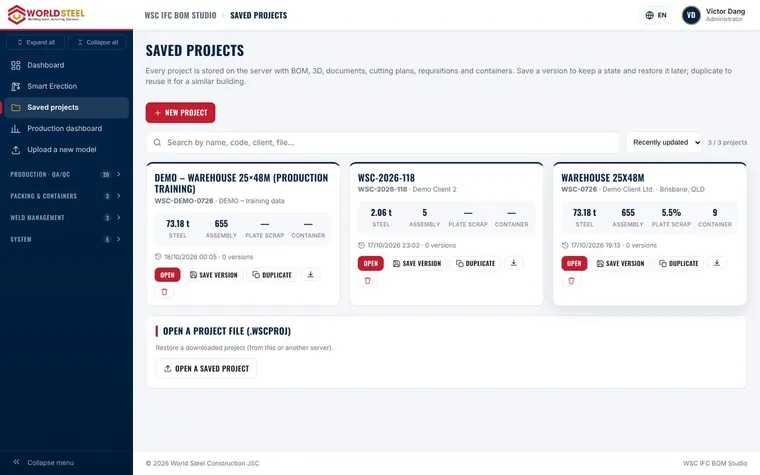
Go to Saved projects and open DEMO – Warehouse 25×48m.
-
Step 3
Look at the BOM and the 3D model
Open the assembly, part and bolt lists, then the 3D viewer to see the structure coloured by stage.
-
Step 4
Try every module
Follow the other guides in this centre with the demo project: cutting plans, QR production, packing and Smart Erection all have sample data.
Tip Remove the demo data from the same page before you go live.
Was this guide helpful?
Thank you for your feedback!
Updated 01 Nov 2026