
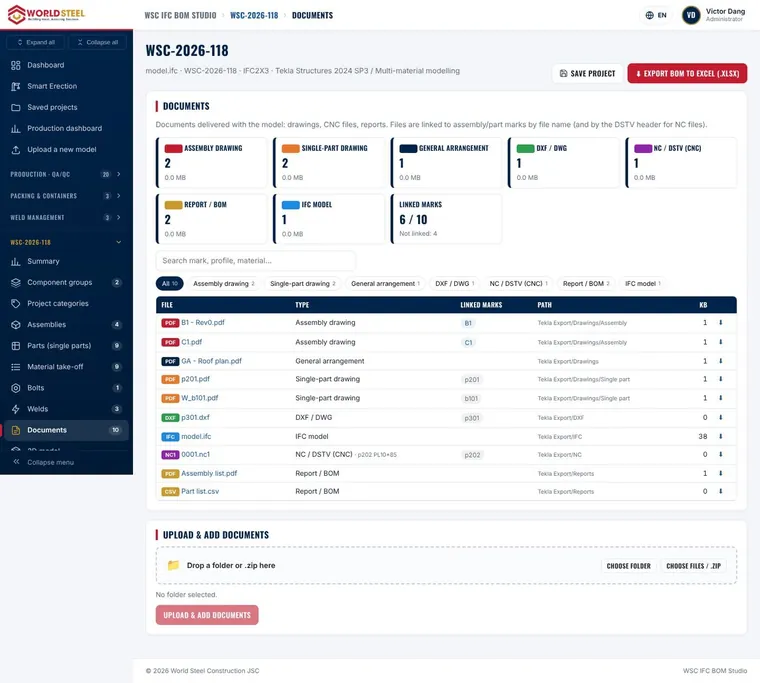
No need to rename or sort thousands of files by hand: PEB Studio reads the IFC and links the PDF / DXF / NC drawings to the correct marks.
-
Step 1
Run Numbering in Tekla
Before exporting, run Numbering in Tekla Structures so that every assembly and part has its final mark.
Tip Exports made before numbering produce duplicate or missing marks. -
Step 2
Export the IFC and drawings
Export the IFC model and, if needed, the PDF, DXF and NC/DSTV files into one project folder (or a .zip).
-
Step 3
Choose the folder
On the home page click Choose folder or drag and drop the folder. A summary shows the number of files, size and files by type. Unsupported files are skipped.
-
Step 4
Upload & analyse
Click Upload folder & analyse. Files are sent in 8 MB chunks, so hosting limits on file size do not apply.
-
Step 5
Review the results
The results page opens automatically when processing is complete. Check the model summary and the data check warnings before sharing the BOM.
Updated 01 Nov 2026